“Time is money.” This old saying is very true, especially in fast-paced markets such as technology. Every minute you spend dealing with a printer that isn’t working or going without a copier due to malfunctions, that’s a minute your productivity is dropping. That, in turn, can mean you’re losing revenue-generating activity. Technology is always changing and improving, and that includes office copiers, printers, and multifunction devices.
Having the latest Konica Minolta equipment can go a long way to ensuring that you’re not losing any productivity or revenue. But these devices, despite being more affordable than they once were, can still be a major purchase for new and small businesses. Allocating funds to one can mean cutting back elsewhere, plus it means you’re taking on all associated maintenance, consumables, and other costs associated with the device. It also means you’re stuck with it, which can be a major downside if you need to pivot in the future.
That’s where Common Sense Business Solutions comes in. By leasing a Konica Minolta multifunction device, you can avoid some of the major pitfalls that come with purchasing while also taking advantage of rapid technology upgrades when you need them. Let’s take a look at how CSBS can help you keep up-to-date with printer/coper technology.

Why Being Up-to-Date Matters
Does it really matter if you have the latest in printer or copier technology? To some, it might not, but because this technology changes regularly, you may be missing out on features that your business needs. Without upgrading, you can easily fall behind your competitors, leaving you vulnerable to losing business. When it comes to multifunction devices, upgrading typically gives you an edge in either productivity or security.
Productivity
Today’s multifunction devices are even faster than those from a few years ago. Advancements in technology have improved printer speeds, capabilities, and reliability, leading to the following:
Faster print and scan speeds: Today’s Konica Minolta printers have faster warm-up times and higher pages-per-minute output, reducing the time it takes for the printer to start up and complete a large print job.
Better user interface: Today’s devices feature larger, more intuitive interfaces that can be customized. This means your employees will spend less time working through the printer’s menu and will get less frustrated with the device.
Reduced downtime: New technology has fewer bugs and other issues, which typically translates into reduced downtime. With leasing, there’s even less downtime because leasing contracts include comprehensive service agreements that cover all maintenance. This means any issues will be quickly resolved, especially since you won’t be dealing with a printer that’s years old.
The difference between a newer Konica Minolta device and an older multifunction device is substantial and will impact your daily productivity.
Security
The second area where being up-to-date matters is security. Today, nearly every business has some kind of sensitive information, even if it’s just their financials and employee information. With remote work and increased cyber threats, protecting this data is even more crucial. Few people think of their copiers or printers as a potential vulnerability, though. However, if these devices are connected to your network (and most are), they need to be protected.
Today’s Konica Minolta multifunction devices come with modern security features designed to protect sensitive business data in several ways:
- Data encryption: Newer devices automatically encrypt data when it’s sent to the device’s internal storage, protecting it from unauthorized parties.
- Secure print job release: Users can lock their print jobs until a code is entered at the device. This prevents people from simply walking by and looking at documents that have been left in the output tray.
- Network updates: Newer devices automatically update to the newest and most secure network protocols.
- Automatic overwrite: This security feature automatically erases print jobs from the device’s internal memory when the print is finished, removing the risk of sensitive information being stored and potentially accessed.
Using old equipment or delaying updates to your existing equipment can leave holes in your security. Even though it’s “just a copier” doesn’t mean it’s not a potential entry point for hackers. Always apply the latest firmware and hardware updates to protect your business and remain compliant with any industry regulations.
The Advantages of Leasing in Santa Rosa
Boosting your productivity and security are two of the biggest advantages with leasing Konica Minolta devices in Santa Rose. When you outright buy a multifunction device, you’re locked into that piece of technology for quite some time. It’s technological stagnation – you either use it until it breaks down, or you replace it early, which means spending a lot of money before you fully see a return on your investment.
With leasing, however, that’s not the case.
Swap technology when you need to
One of the biggest benefits of leasing is that you can swap out your devices when you need to or when they become obsolete. Typically, leases include an option to upgrade or even downgrade when you need to. They also often include the option to renew the lease or swap out to a newer model. This ensures that you’ll always have access to new technology when you need it.
Don’t “make do” with old equipment
Buying a multifunction device is a major financial decision, of course, but there’s also a psychological aspect to it. You spent a lot of money on that device, so it just makes sense to use it for as long as possible, right? You likely feel like you have to keep using it, even when it’s no longer meeting your needs or isn’t functioning quite right. This psychological feeling of “we bought it, so we must use it” can leave your business working with outdated equipment.
Leasing, however, removes this issue. You didn’t buy an expensive piece of equipment, nor are you responsible for getting rid of it if you decide it doesn’t meet your needs. All you do is call CSBS and say you want to upgrade or want a device with a specific function. That’s it. You don’t have to spend a lot of money but get to take advantage of new features, security updates, and more.
Having this flexibility is critical for businesses that are quickly growing or that are a part of a dynamic industry. You can swap out your multifunction device whenever your business needs change, allowing you to remain on the cutting edge of technology.
What to Look for in a Multifunction Device?
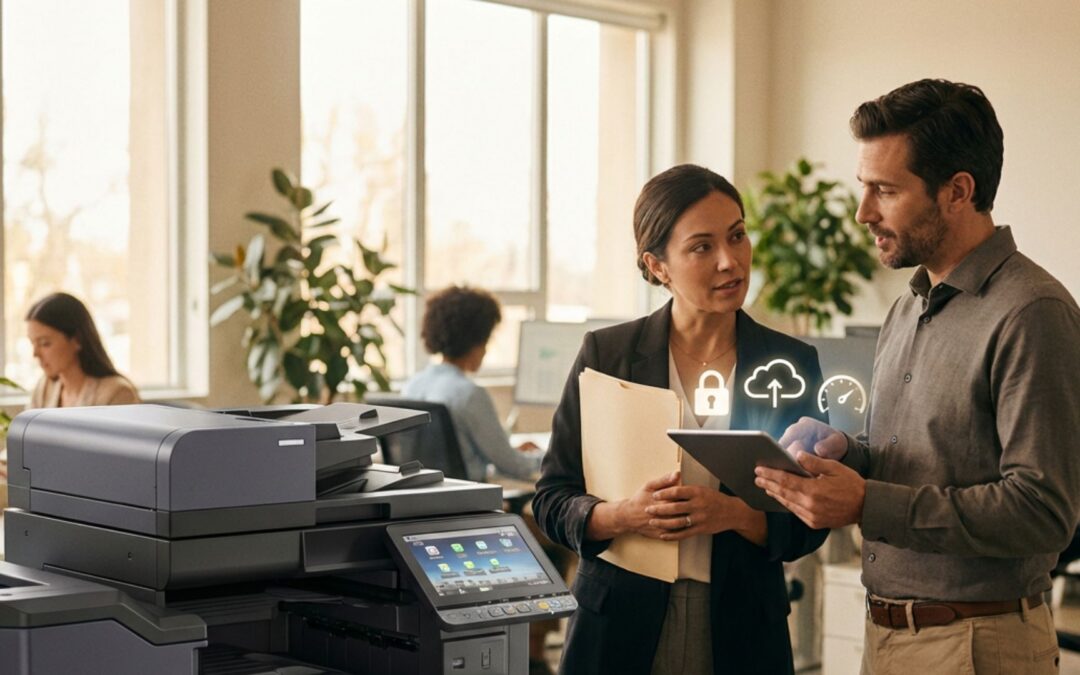
When leasing a Konica Minolta multifunction device, you’re not just getting a faster printer that also makes copies; you’re getting an office hub. Here are some of the features you should look for it to ensure that this hub will give you the productivity and reliability you need.
Cloud integration
Everything these days is stored in the cloud, including documents, spreadsheets, and other files that you may need to print. A multifunction device connected to the cloud will be able to access services such as Google Drive, Drop Box, and OneDrive. This means your team can scan documents right into your cloud storage as well as print documents stored in the cloud.
Mobile printing
It wasn’t that long ago that the only devices printing to your office printer were desktop computers and laptops. Today, though, employees may need to print from their phones, tablets, or other devices. A printer that can make use of AirPrint, Google Cloud Print, and Near Field Communication makes printing from these mobile devices incredibly simple and easy.
Advanced scanning options
Scanning isn’t just used to create PDFs anymore. Today’s scanners have a number of advanced features. For example, Optical Character Recognition or OCR can scan a document and turn it into editable text, while automated naming tools can automatically generate a file name based on a barcode or text in the document. One-touch customizable systems make it incredibly easy to quickly scan, name, and save files. For example, you could create a custom rule that scans invoices, names them after the client and date, and then saves them to your accounting folder in the cloud.

We Make Upgrading Easy
CSBS makes it very simple to upgrade your Konica Minolta printers, copiers, and multifunction devices. We want you to be able to have the devices that meet your needs now, not the needs you had a year ago. Here are some of the ways we help keep your technology updated.
Determine your needs
The first step to determining what Konica Minolta printer is right for you is to determine your needs. There are three main questions to ask here:
- What is your monthly print volume?
- What issues do you currently have with your workflow?
- What do your needs look like in a year? In three years? In five?
Answering these questions will help determine the capabilities of your current lease as well as what you might need in the future.
Installation and Support
Once you know what equipment you need, we will provide full installation and training. When you buy a multifunction device, it’s up to you to install it unless you pay extra. You also have to figure out how everything works on your own. That’s not the case with a leased device. We handle all the installation plus provide training and answer any questions you may have.
Reach Out to CSBS Today to Discuss Leasing
Buying and using outdated, insecure office equipment is a path to disaster. It leaves you behind your competitors, open to security vulnerabilities, and primed to lose productivity. Buying expensive multifunction devices just doesn’t make sense, especially in industries that require you to be agile.
Leasing Konica Minolta multifunction devices through CSBS ensures that you’ll be secure, agile, and productive. In addition to upgrades, your lease includes toner, maintenance, and repairs. It’s truly the best option for small businesses and anyone who wants to keep up with new technology. Reach out to CSBS today to learn more.